How to use Private display on your Samsung Galaxy S26 Ultra
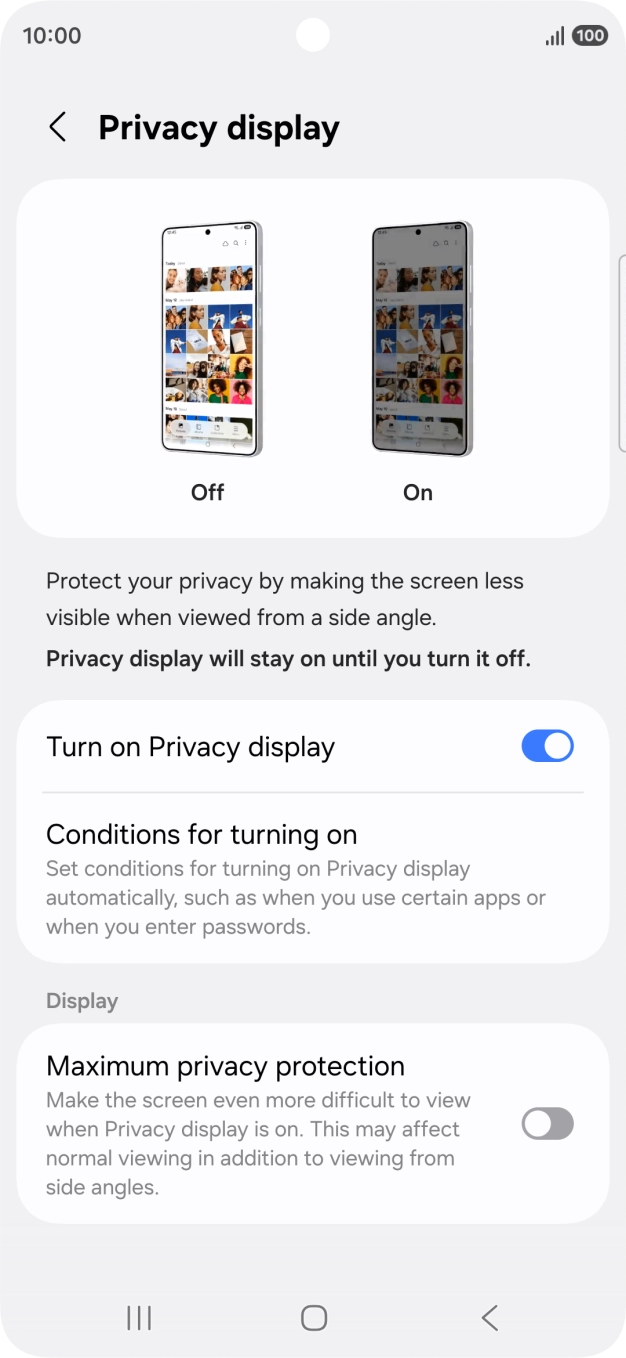
You can set your phone to make it harder for others to see the content on your screen by reducing the viewing angle.
1. Find 'Privacy display'
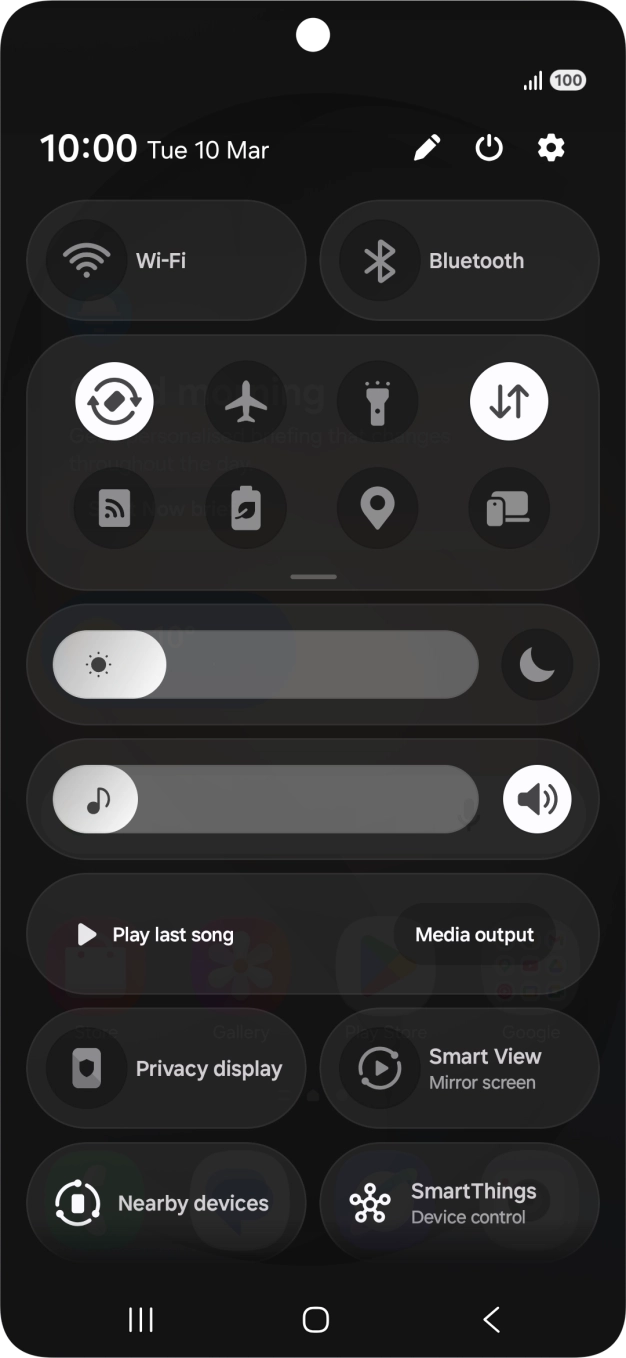
Slide your finger downwards starting from the top right side of the screen.

- Slide your finger downwards starting from the top right side of the screen.
- Press the settings icon.
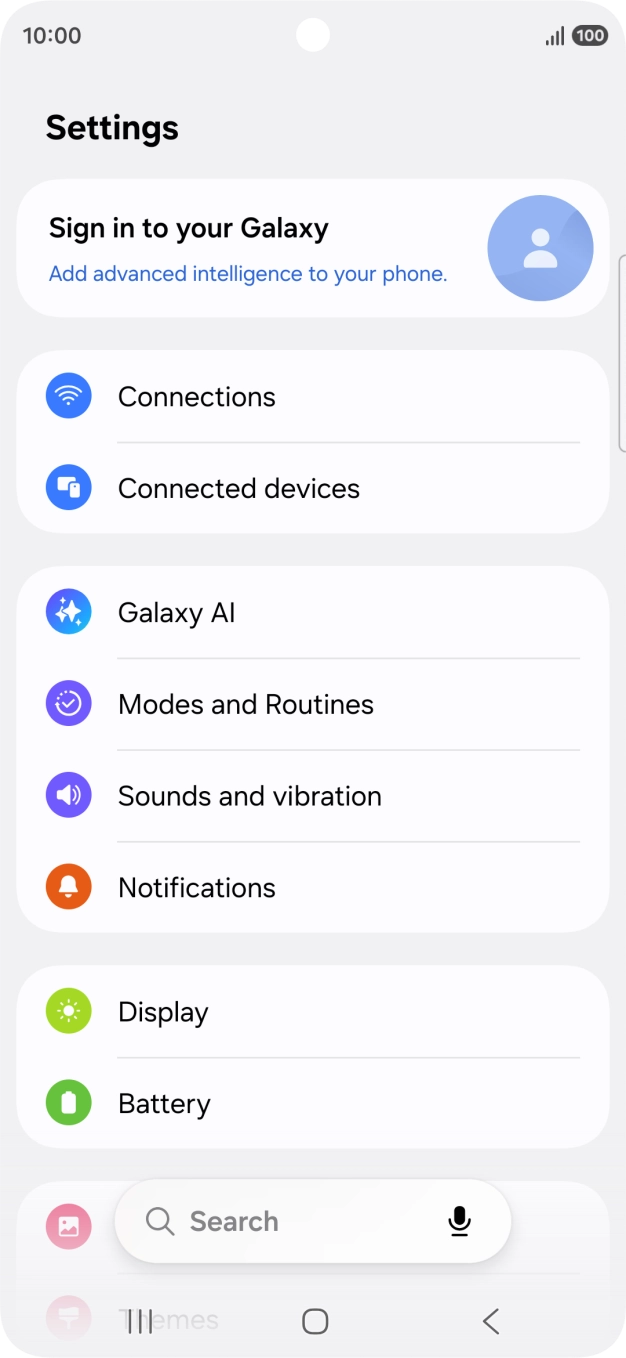
- Press Display.
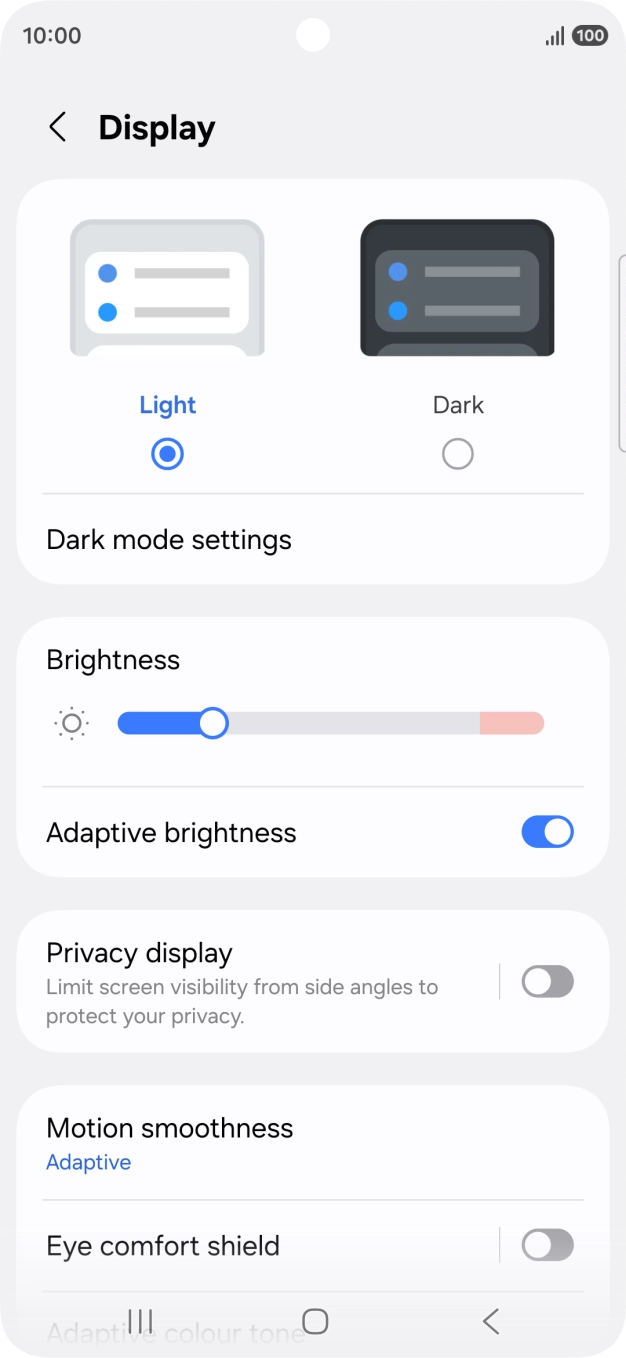
- Press Privacy display.
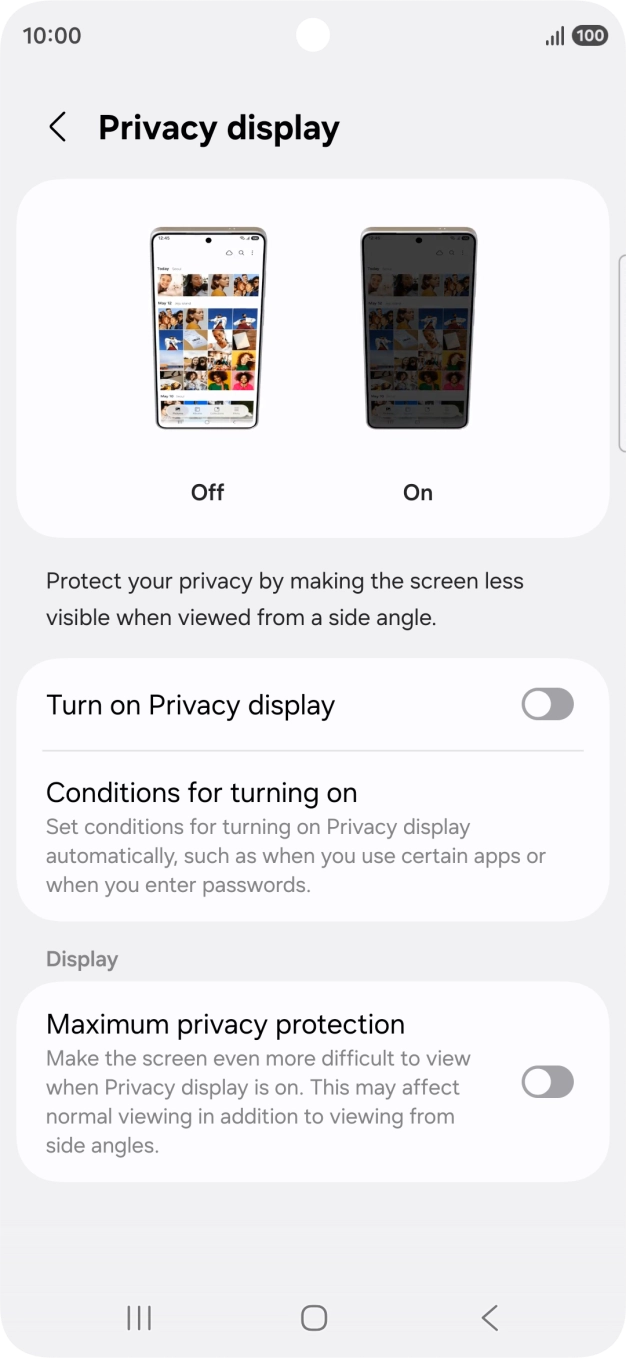
- Press the indicator next to 'Turn on Privacy display' to turn on the function.
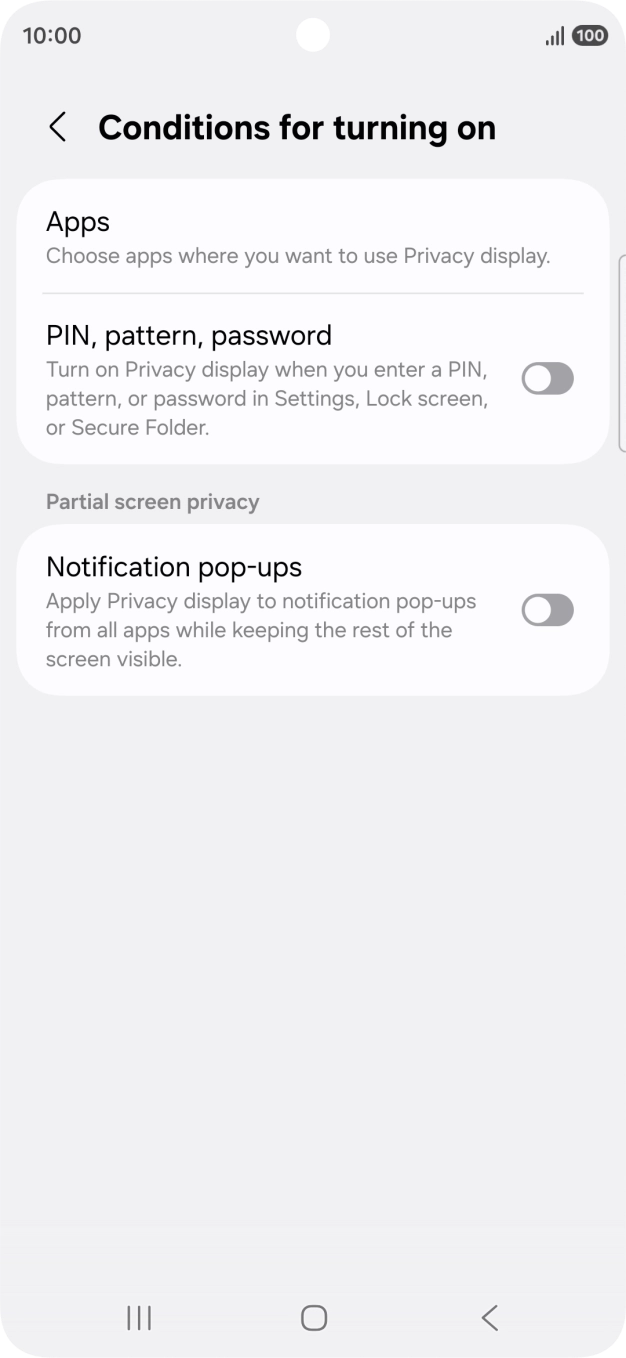
- Press Conditions for turning on.
- Press Apps and follow the instructions on the screen to select the required apps.You can set your phone to activate the function automatically when you open selected apps.
- Press the indicator next to 'PIN, pattern, password' to turn the function on or off.You can set your phone to activate the function automatically when you use your security codes in selected areas of your phone.
- Press the indicator next to 'Notification pop-ups' to turn the function on or off.You can set your phone to activate the function automatically when you receive notifications.
- Press the Return key.
- Press the indicator next to 'Maximum privacy protection' to turn the function on or off.You can set your phone to maximise the effect of Privacy display when it is turned on.
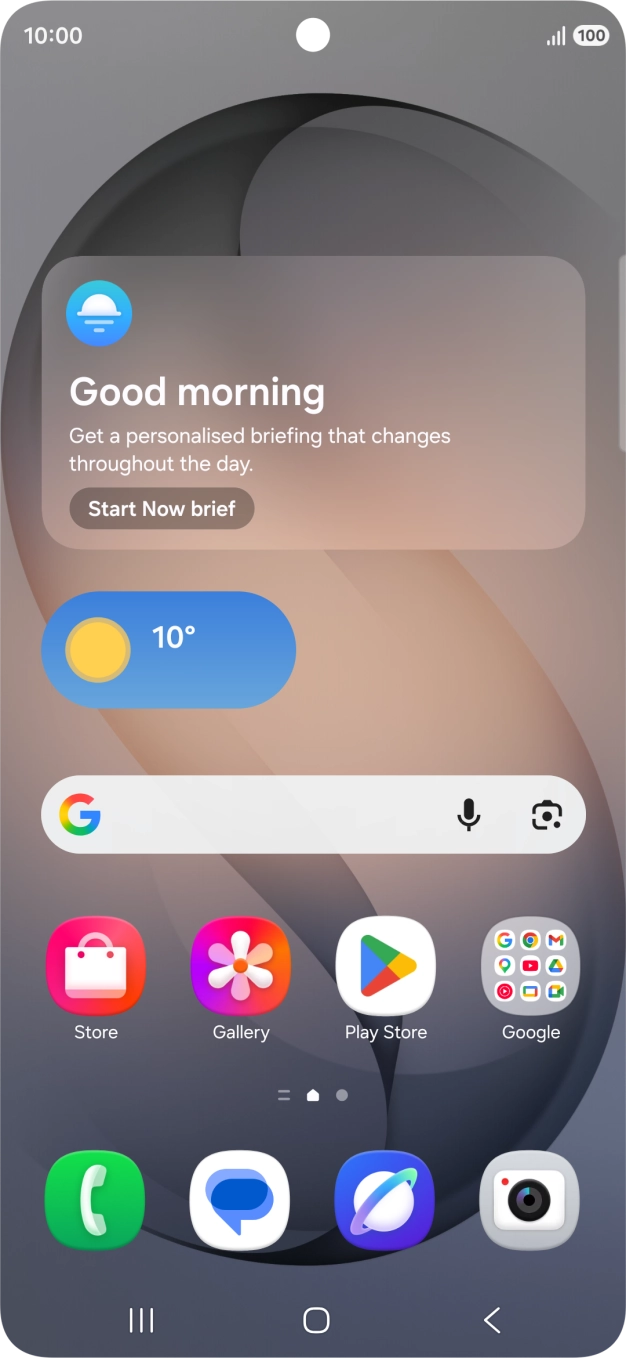
- Press the Home key to return to the home screen.