How to activate your Apple iPhone 6
You need to activate your phone before using it for the first time and after a factory reset. To use mobile network services on your phone, you need to insert your SIM into your phone.

- Press the Home key.
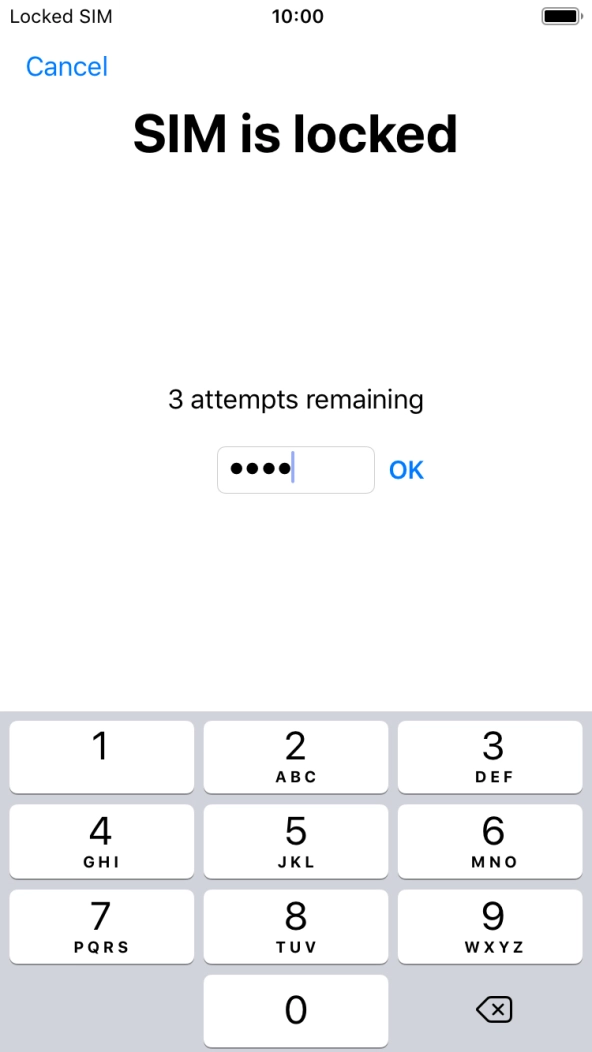
- If your SIM is locked, key in your SIM PIN and press OK. The default SIM PIN is 0000.If an incorrect SIM PIN is entered three times in a row, your SIM will be blocked. To unblock your SIM, you'll need to key in your PUK. O2’s help guide will tell you how to get your PUK. Please note: If you key in the wrong PUK ten times in a row, your SIM will be blocked permanently. In this case, you need a new SIM from O2.
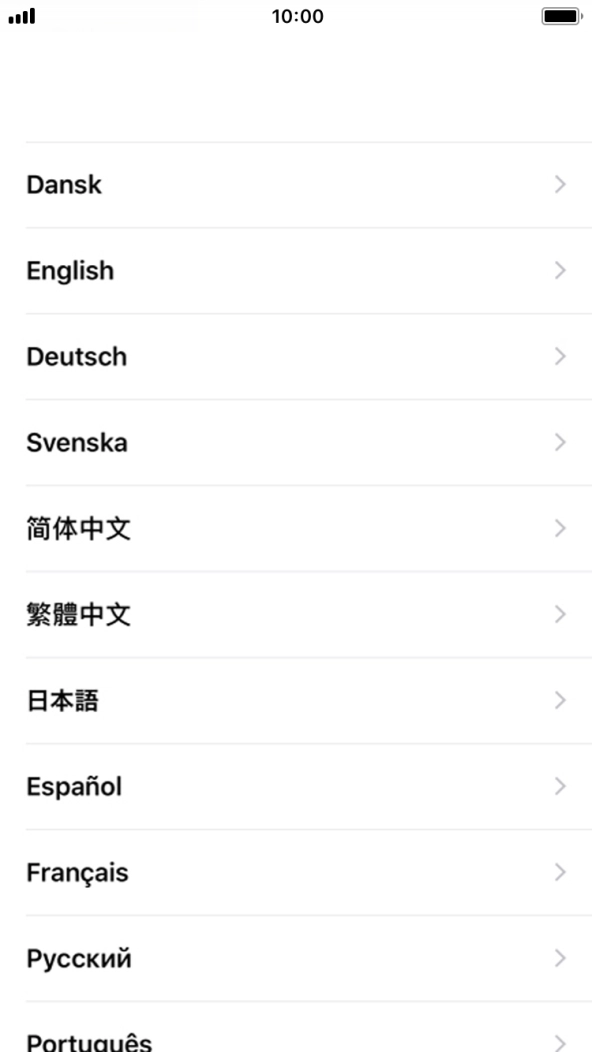
- Press the required language.
- Press the required country or area.
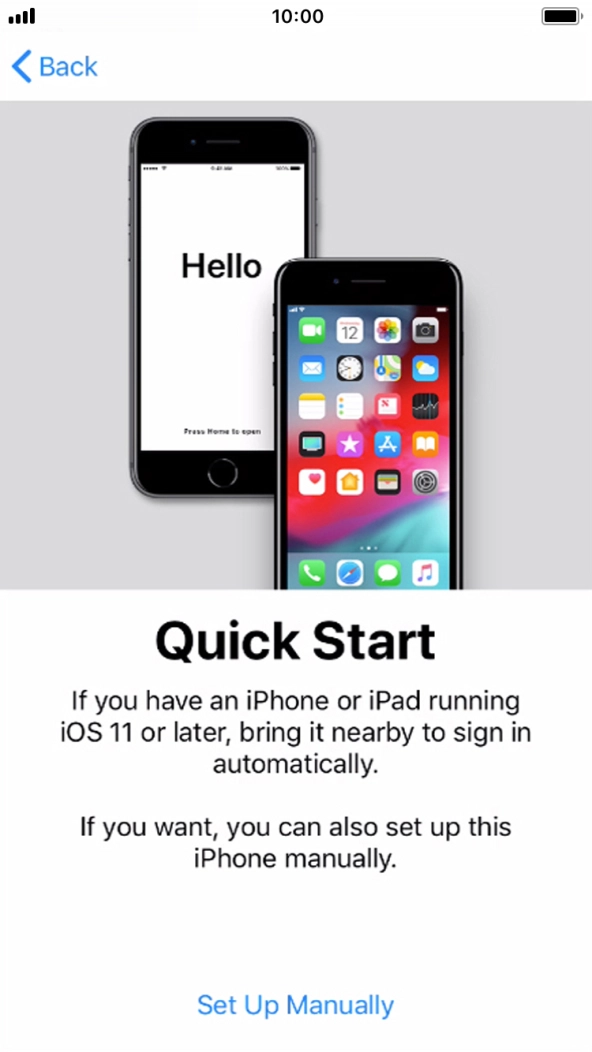
- Follow the instructions on the screen to transfer content from another device running iOS 11 or later or press Set Up Manually.
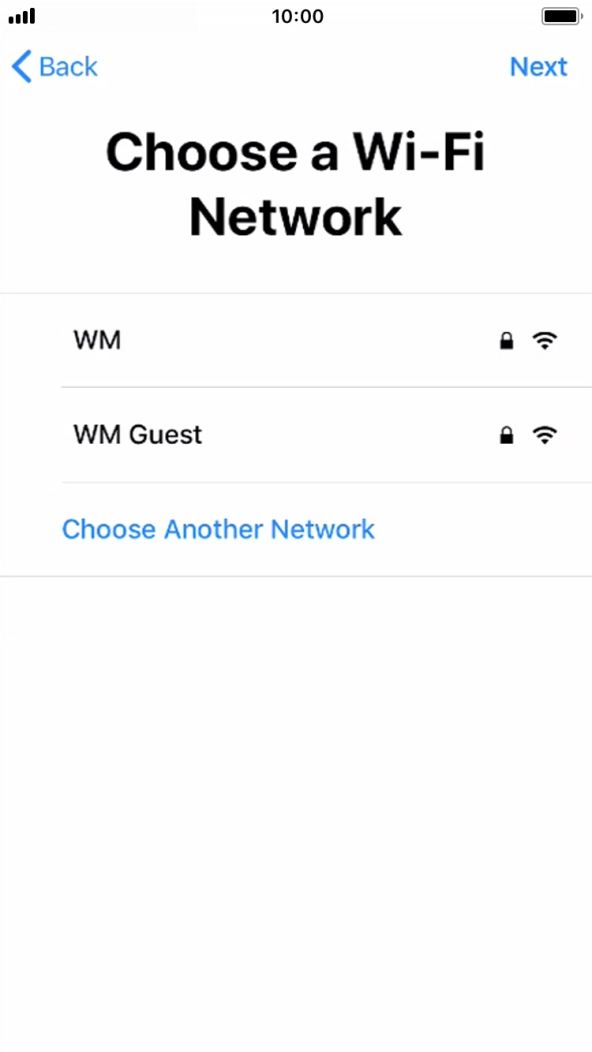
- Press the required WiFi network.
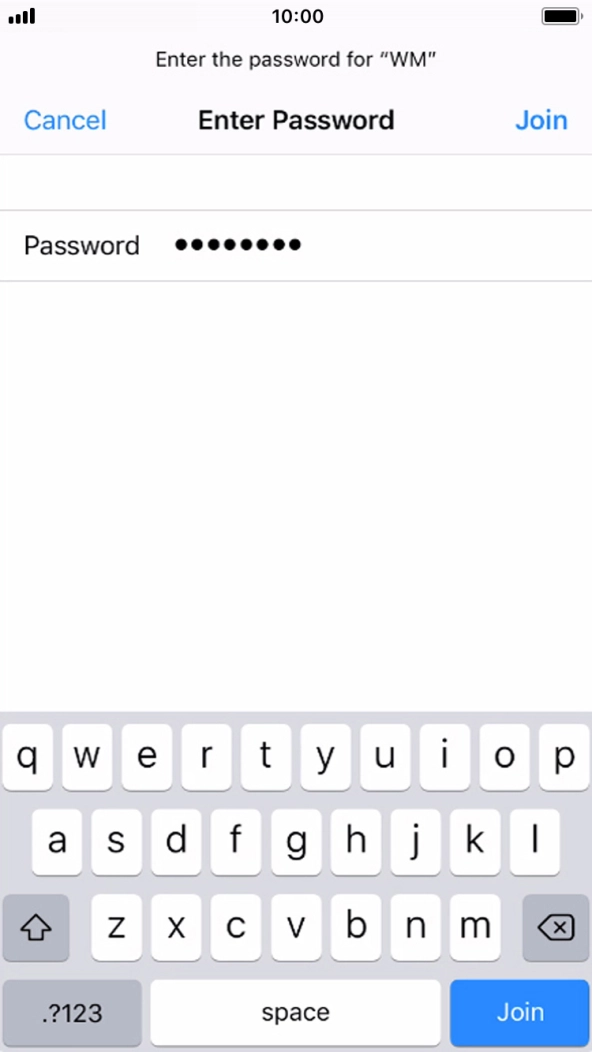
- Key in the password for the WiFi network and press Join.If there are no available WiFi networks, you can use the mobile network instead.
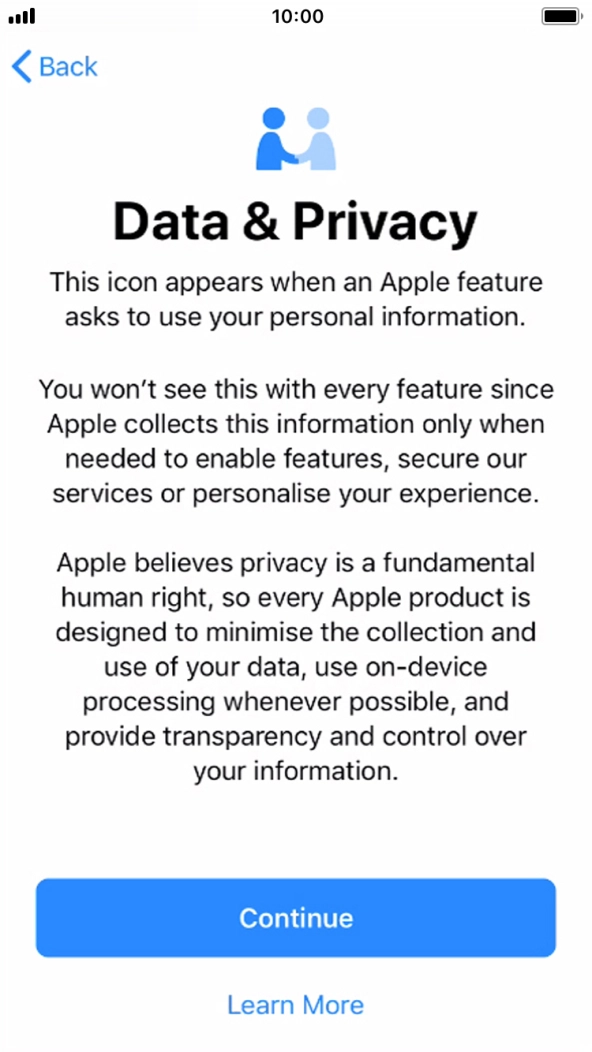
- Press Continue.
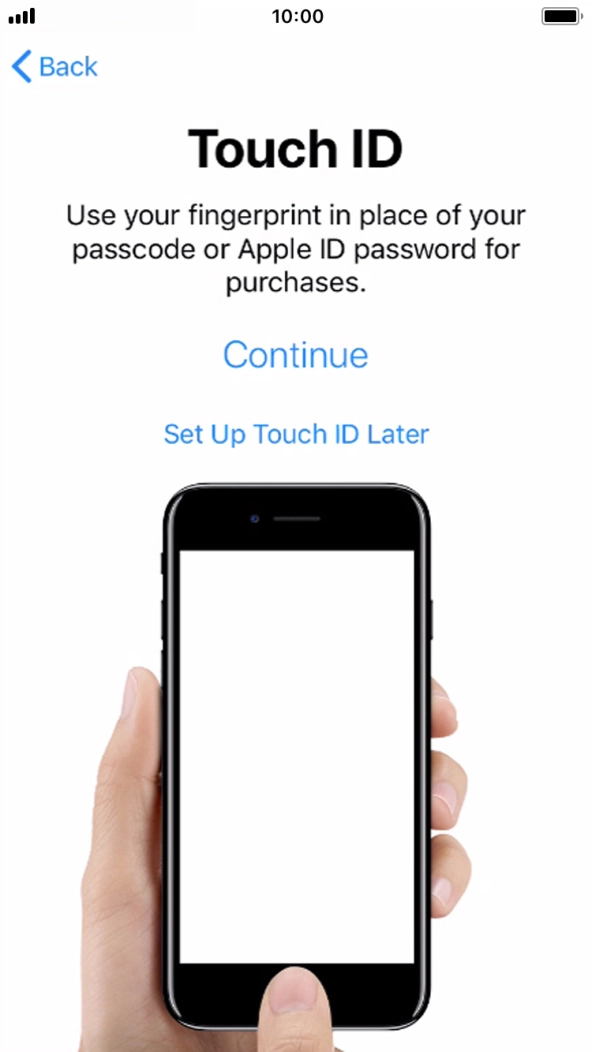
- Follow the instructions on the screen to turn on use of Touch ID or press Set Up Touch ID Later.
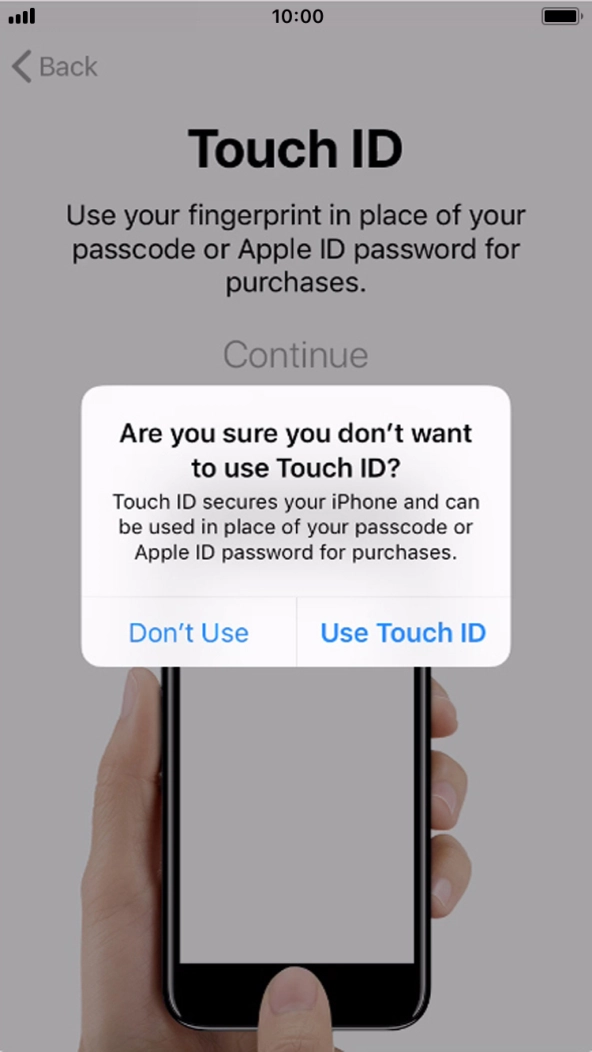
- If you turn off the function, press Don't Use.See how to turn Touch ID on or off later after activation.
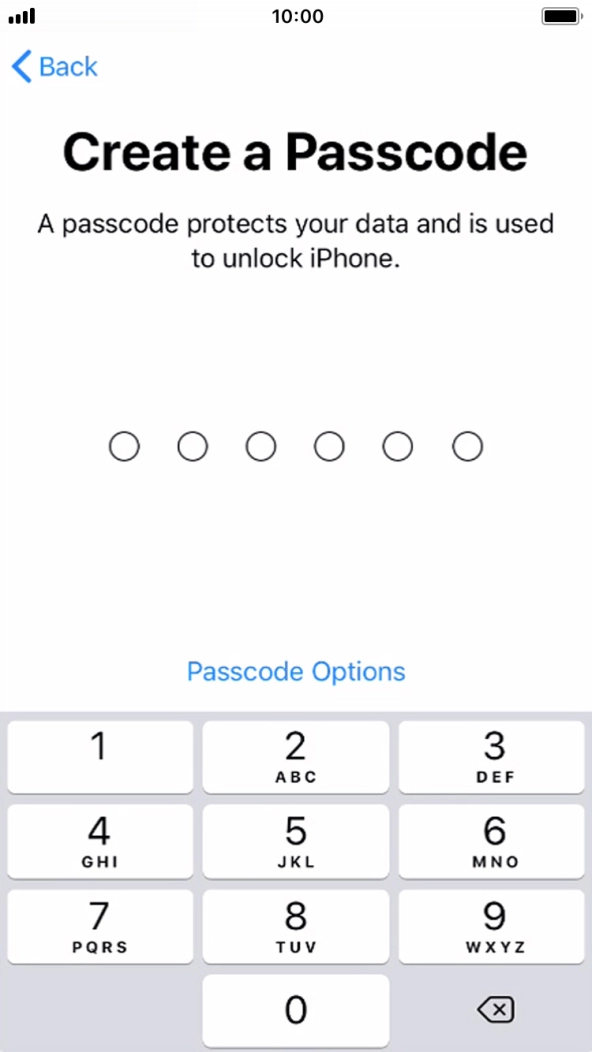
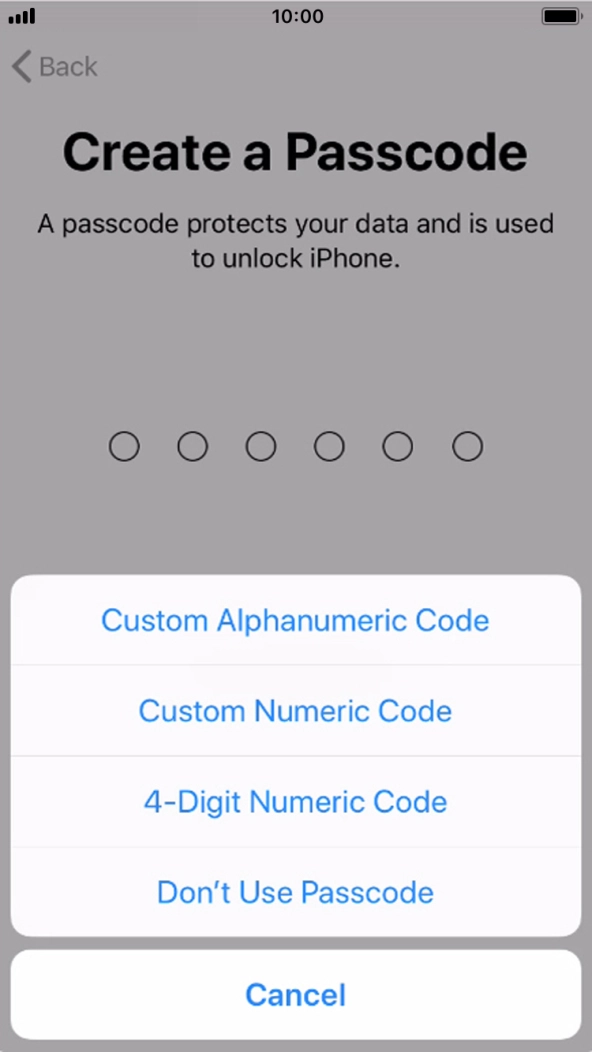
- Press Passcode Options.
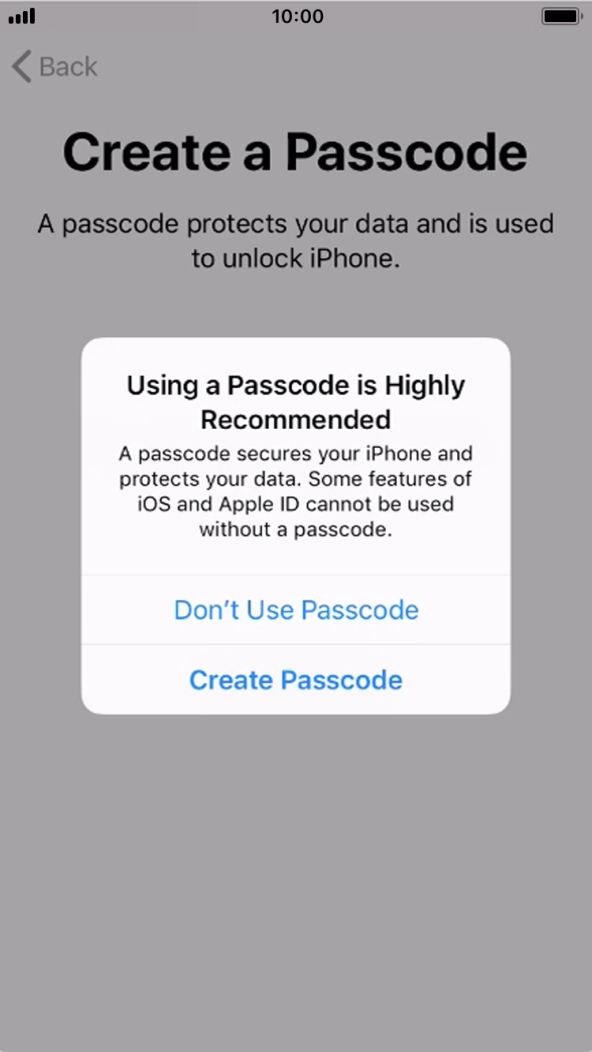
- Follow the instructions on the screen to turn on the phone lock code or press Don't Use Passcode.
- If you turn off the function, press Don't Use Passcode.See how to turn the phone lock code on or off later after activation.
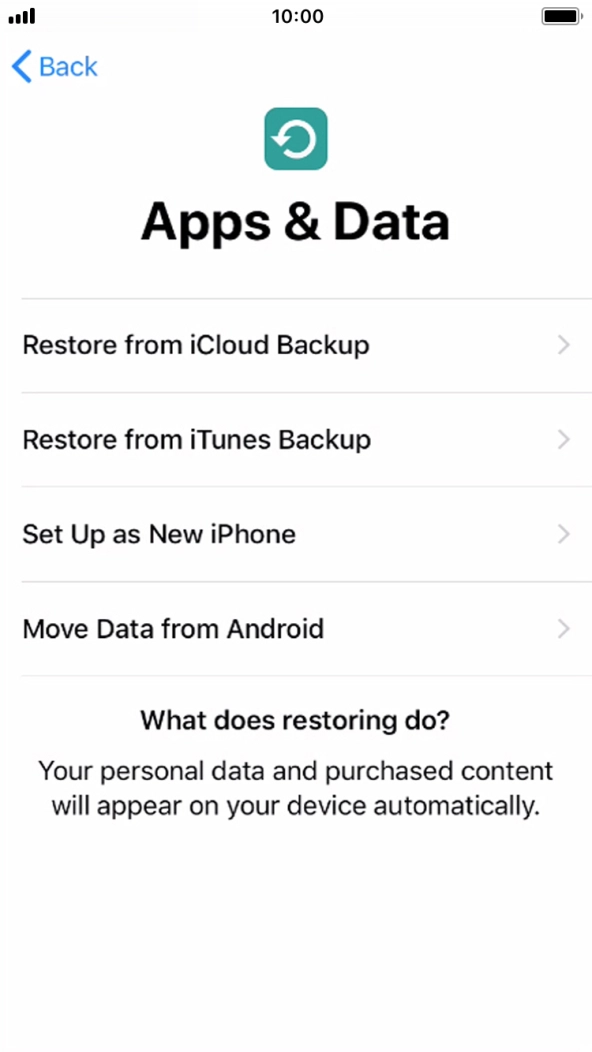
- Press Set Up as New iPhone and follow the instructions on the screen to finish the activation.