I have problems sending and receiving iMessages on my Apple iPhone 18 Pro Max
If you can't send and receive iMessages, there may be several causes of the problem.
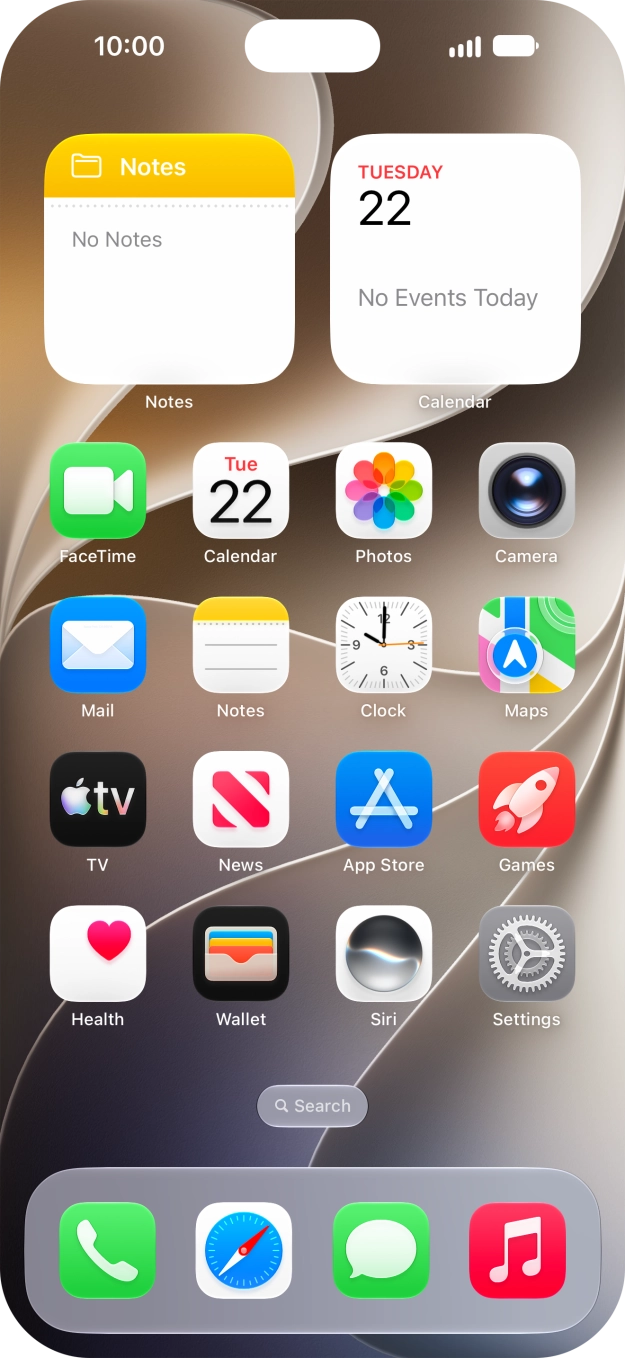
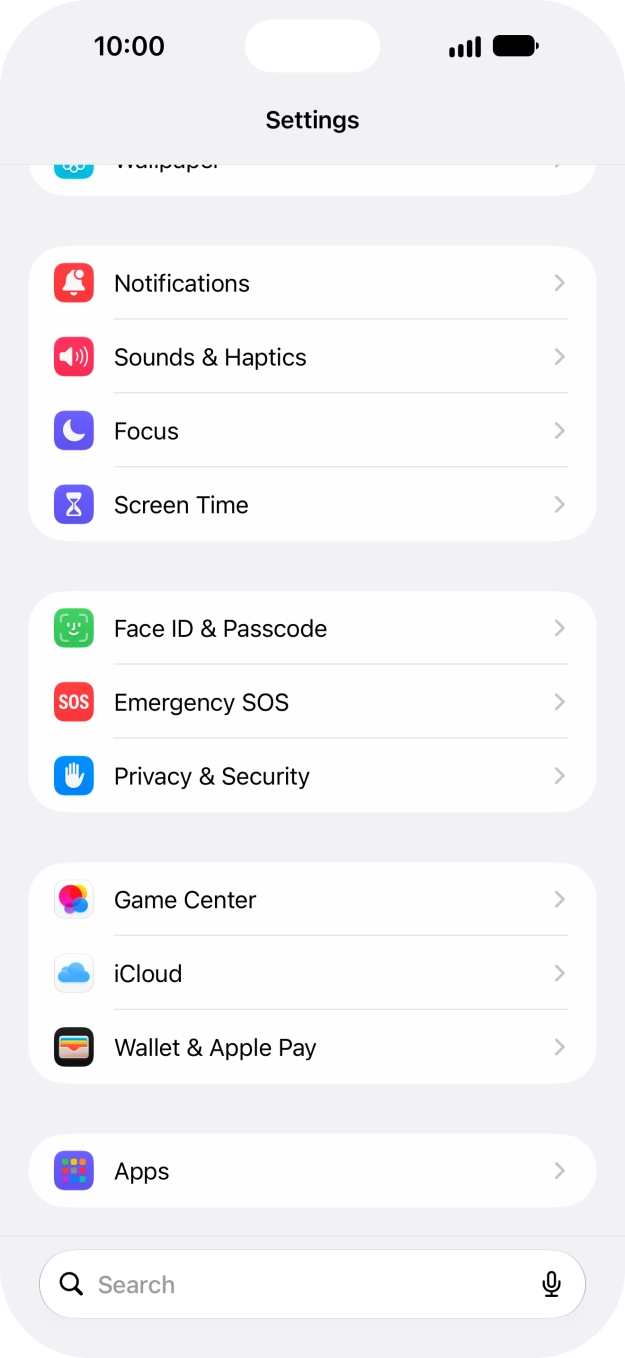
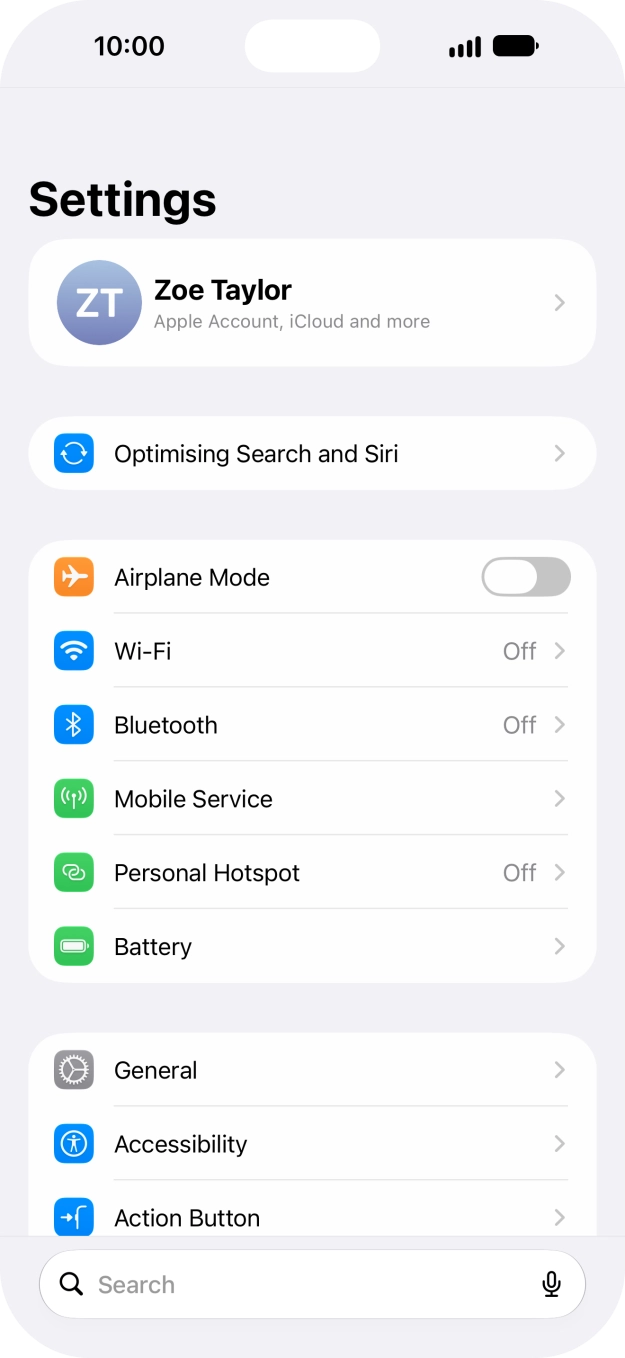
- Press Settings.
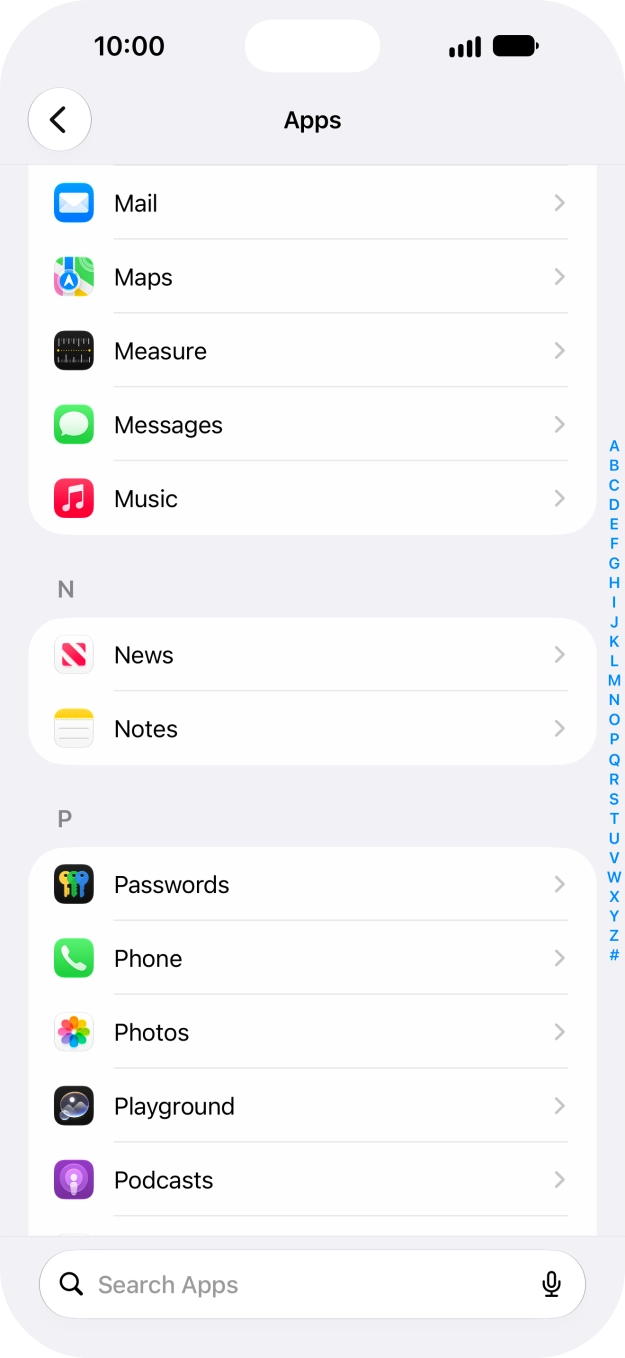
- Press Apps.
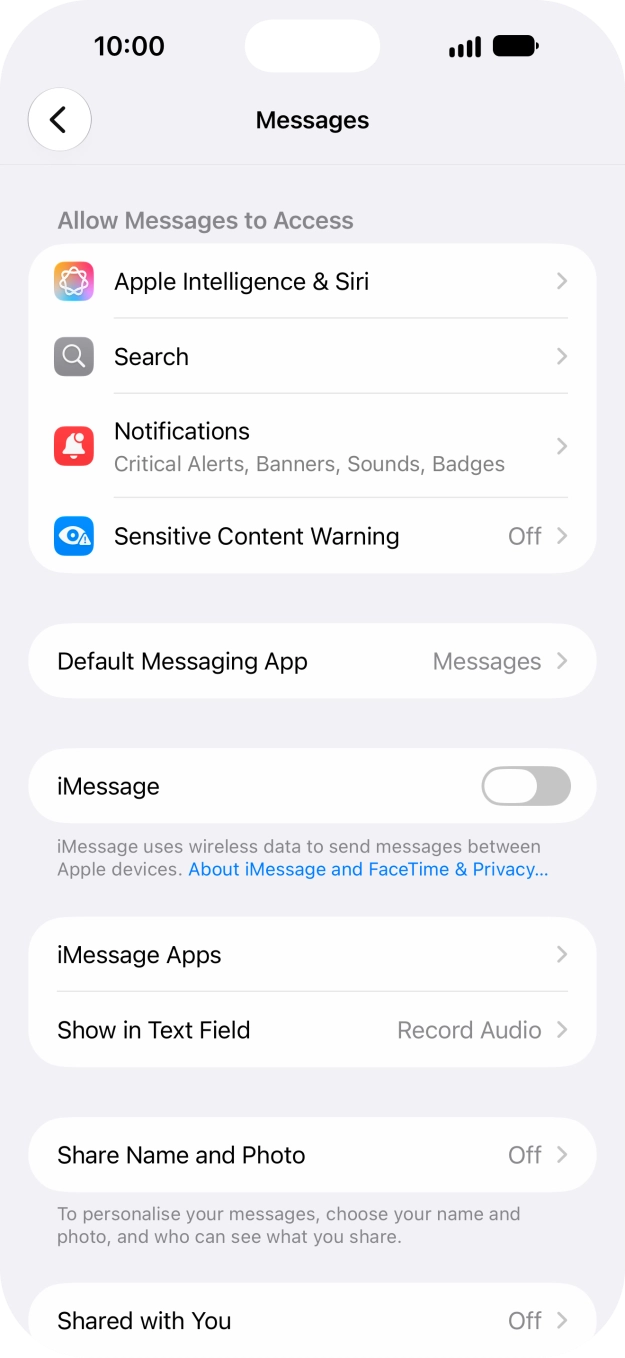
- Press Messages.
- Press the indicator next to 'iMessage' to turn on the function.
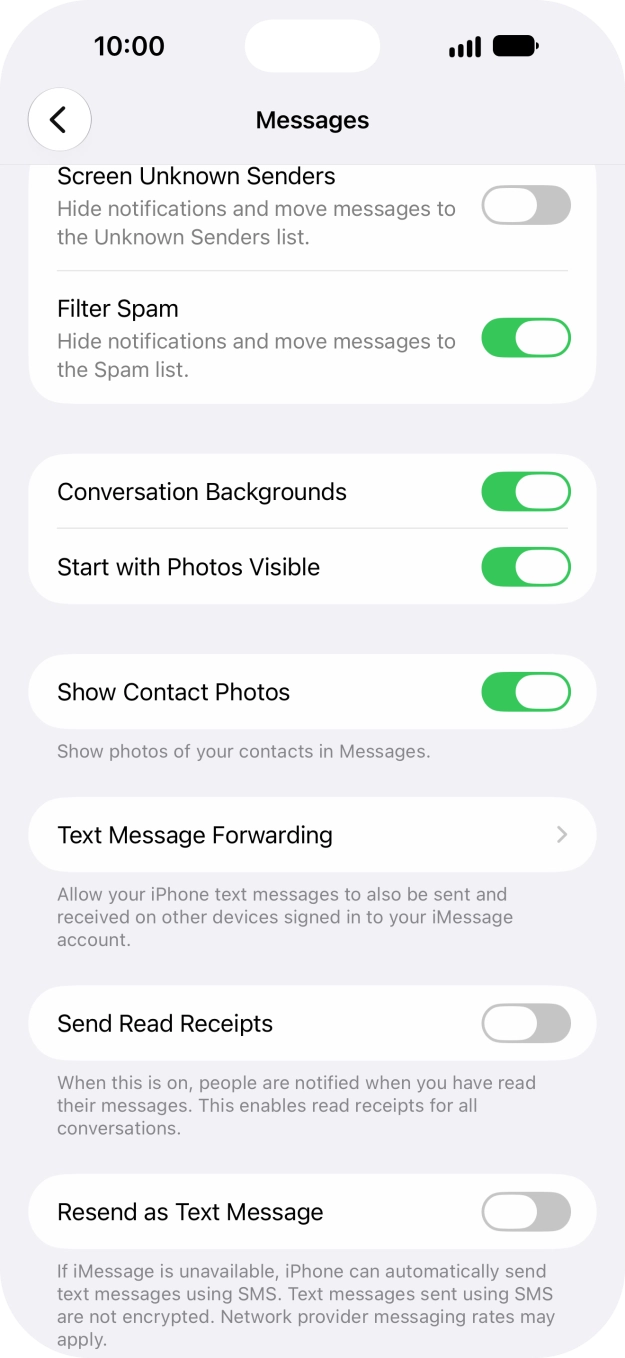
- Press the indicator next to 'Resend as Text Message' to turn the function on or off.If you turn on the function, your iMessages will be sent as text messages if the service is unavailable.
- Slide your finger upwards starting from the bottom of the screen to return to the home screen.
- Press Settings.
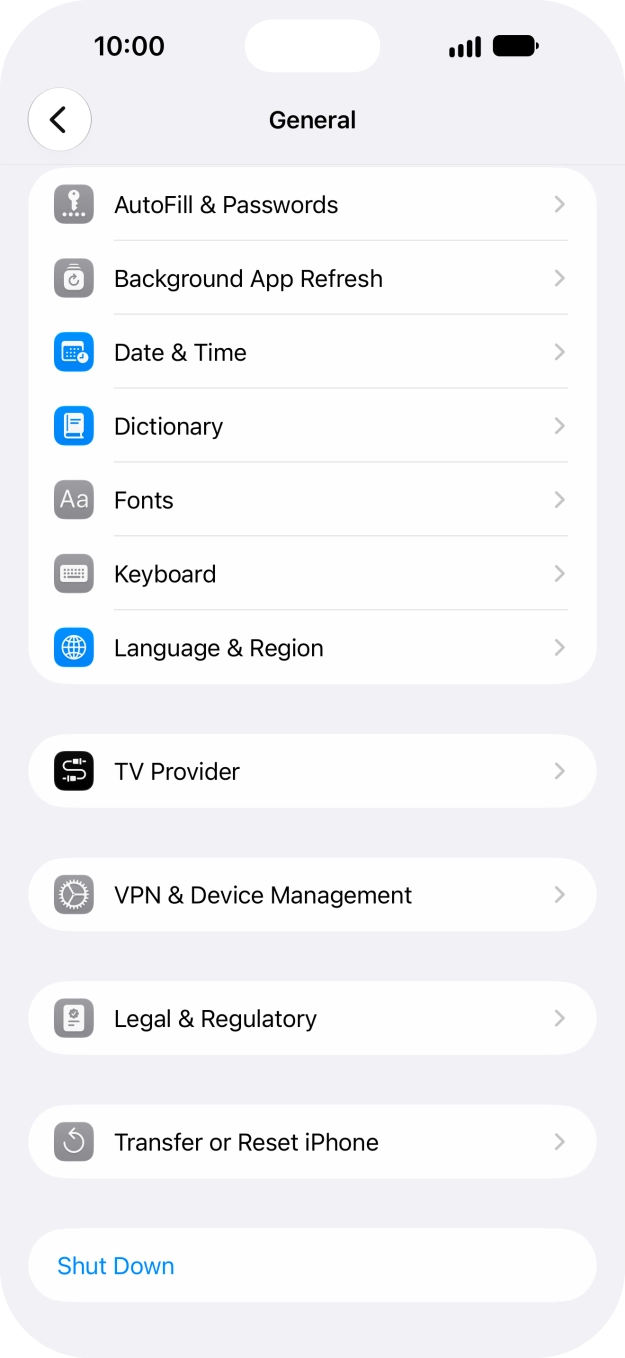
- Press General.
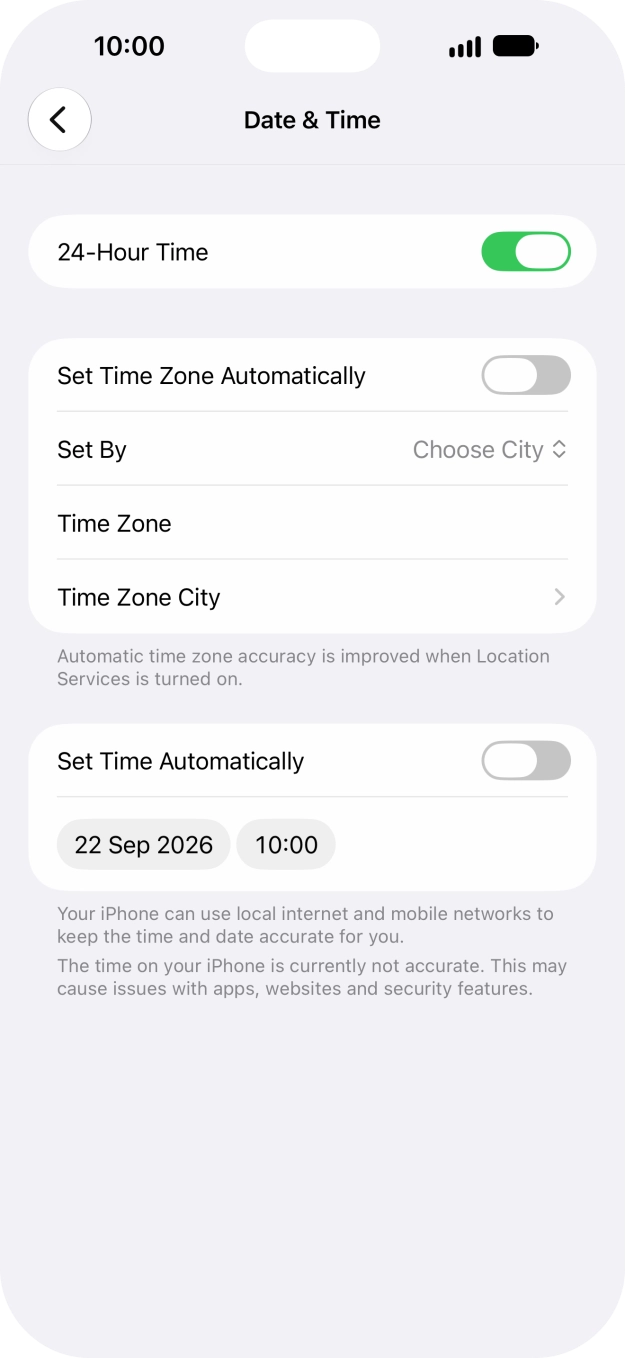
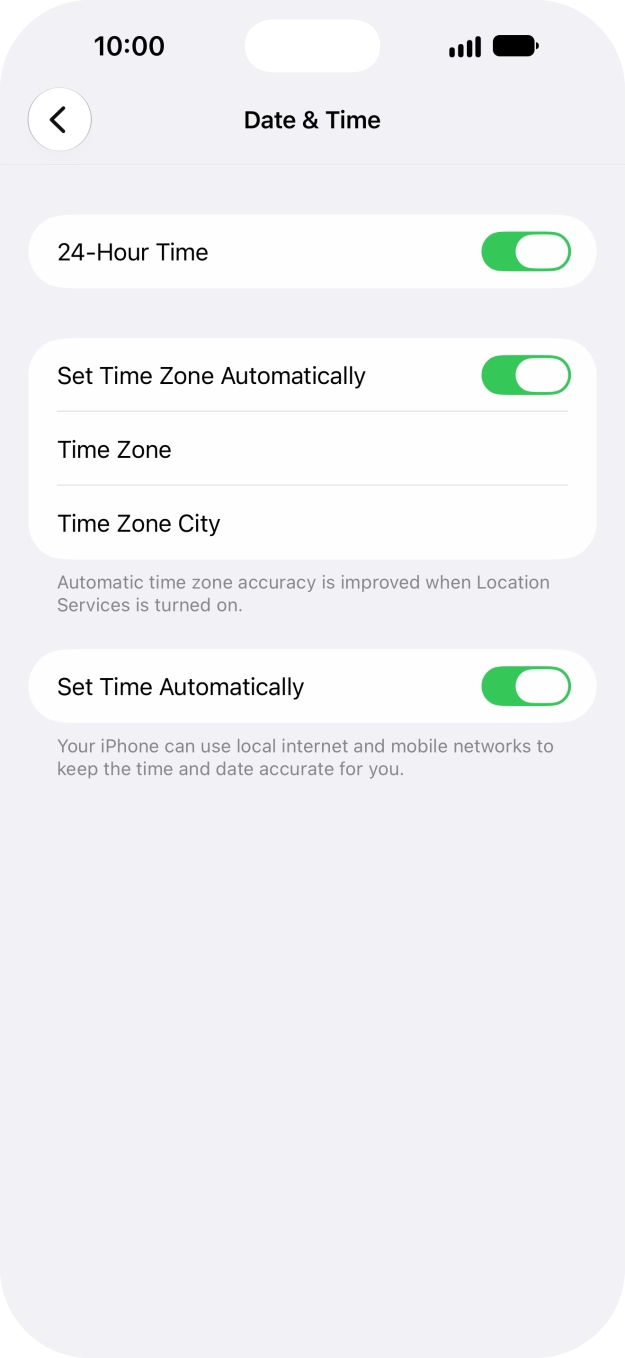
- Press Date & Time.
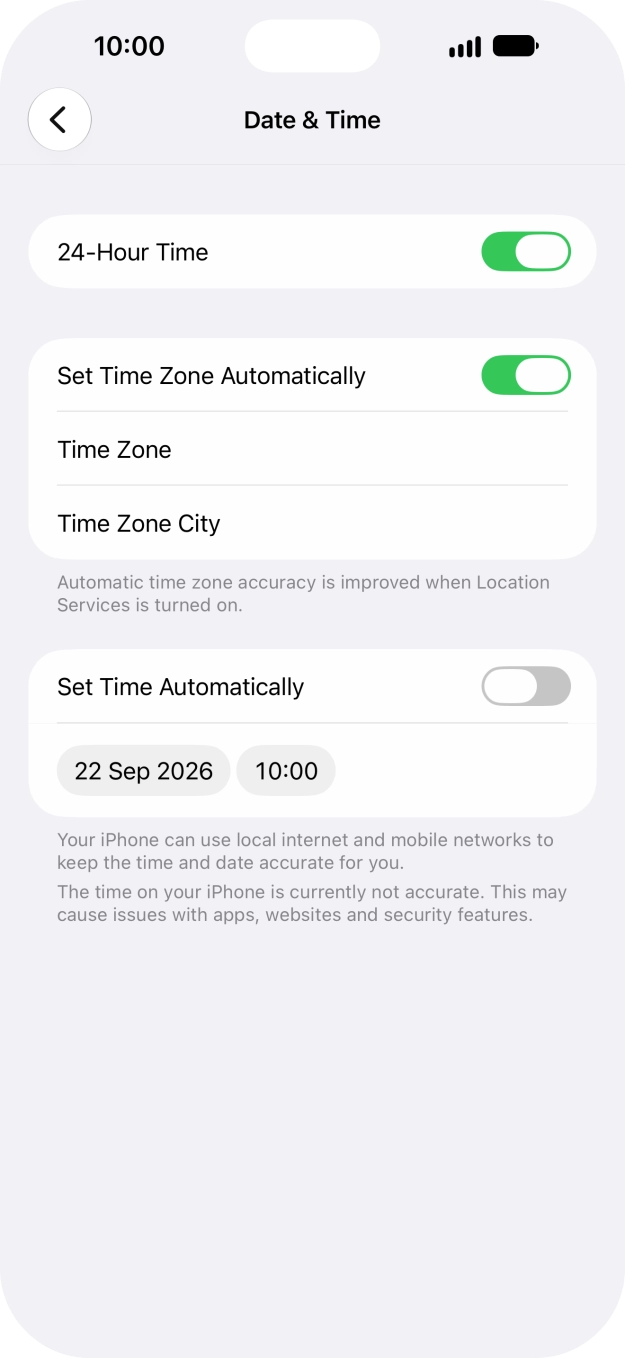
- Press the indicator next to 'Set Time Zone Automatically' to turn on the function.
- Press the indicator next to 'Set Time Automatically' to turn on the function.
- Slide your finger upwards starting from the bottom of the screen to return to the home screen.
Try sending an iMessage to another number.
- Press Settings.
- Press Apps.
- Press Messages.
- Press the indicator next to 'iMessage' to turn on the function.
- Press the indicator next to 'Resend as Text Message' to turn the function on or off.If you turn on the function, your iMessages will be sent as text messages if the service is unavailable.
- Slide your finger upwards starting from the bottom of the screen to return to the home screen.