Version:
Operating SystemiOS 18
iOS 26
iOS 18
iOS 16.0
I have problems using the internet connection on my Apple iPhone 14 Plus
If you can't use your phone's internet connection, there may be several causes of the problem.
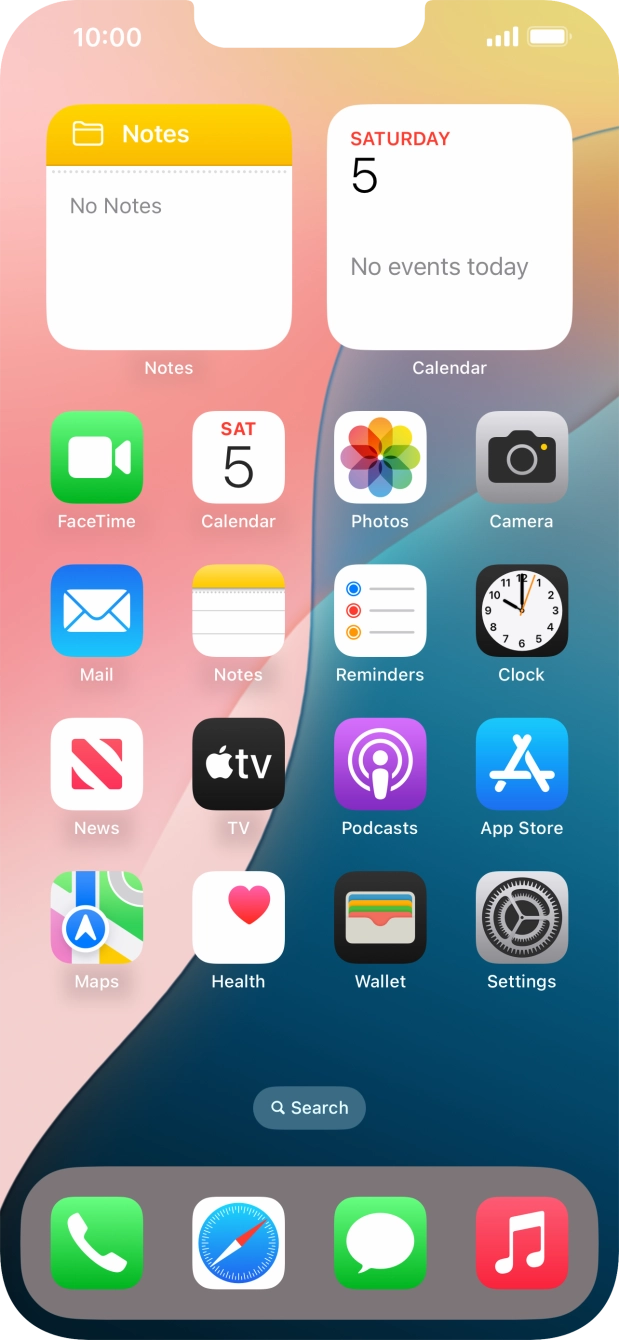
1. Find 'Mobile Data Network'
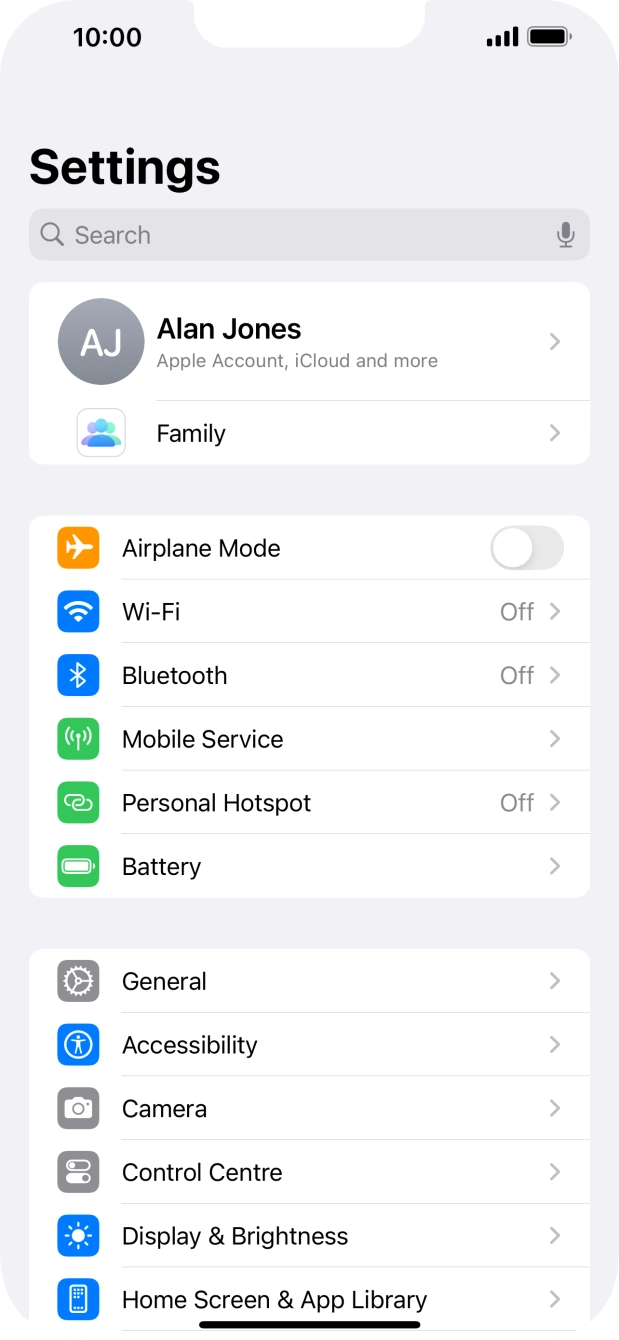
Press Settings.
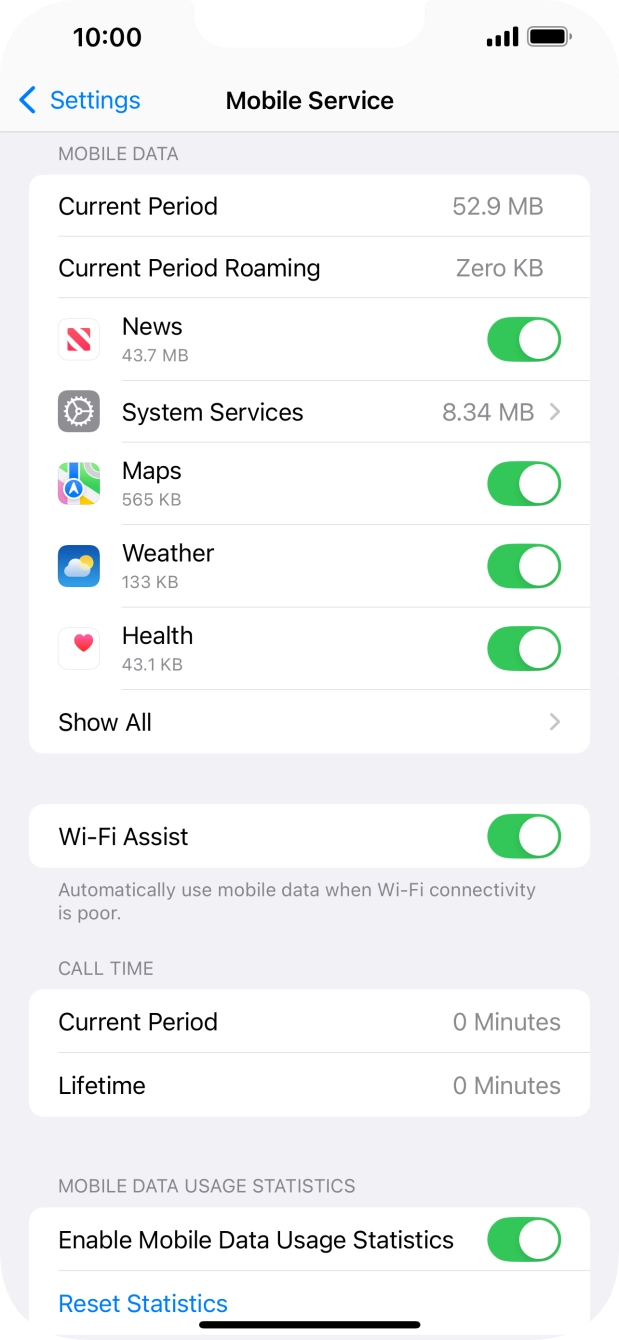
- Press Settings.
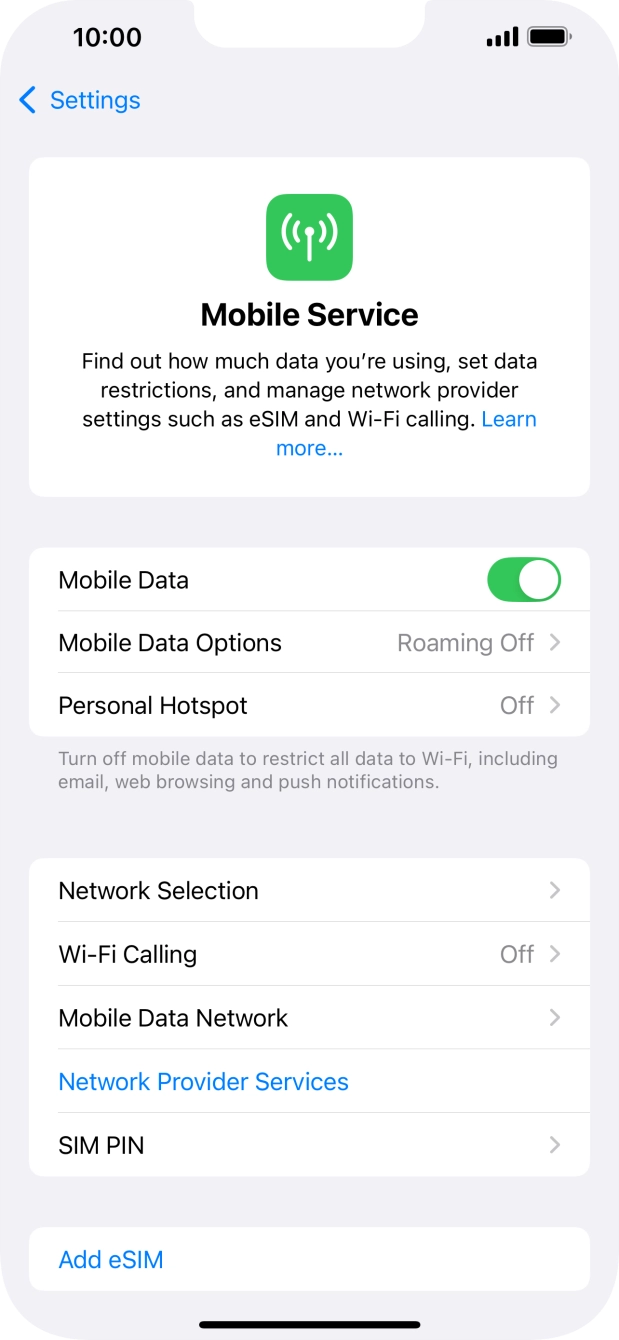
- Press Mobile Service.
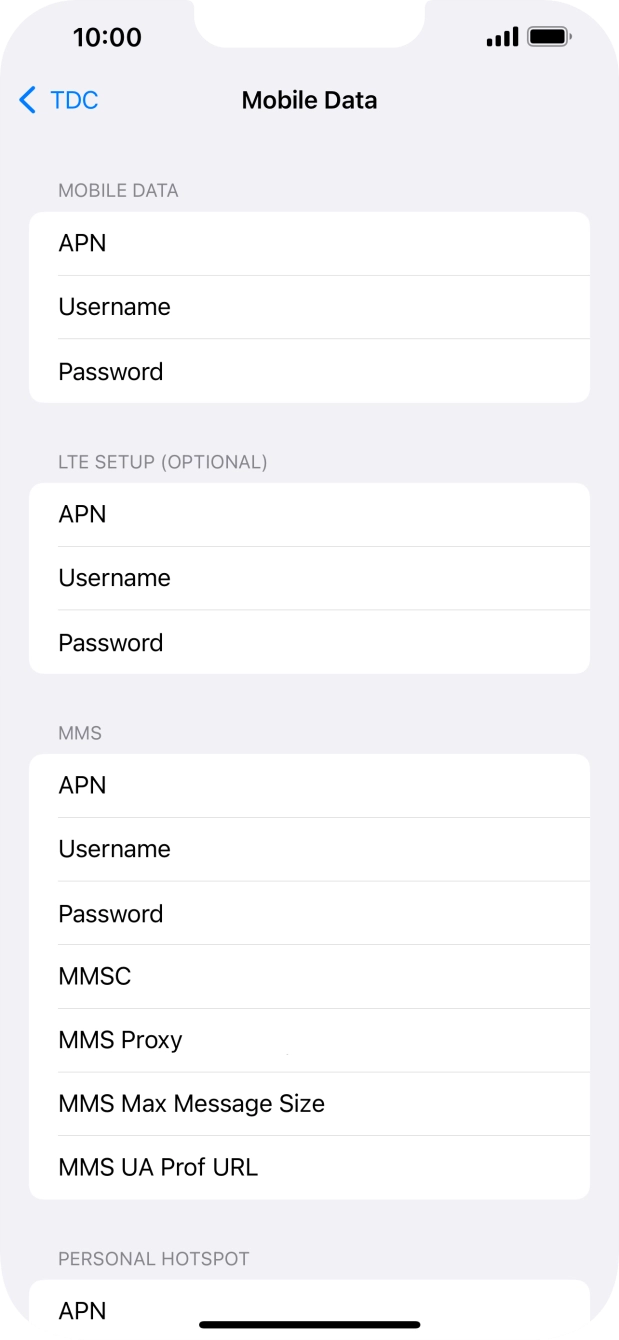
- Press Mobile Data Network.
- Press APN and key in idata.o2.co.uk.
- Press Username and key in vertigo.
- Press Password and key in password.
- Press arrow left to save the settings.
- Slide your finger upwards starting from the bottom of the screen to return to the home screen.
- Press Settings.
- Press Mobile Service.
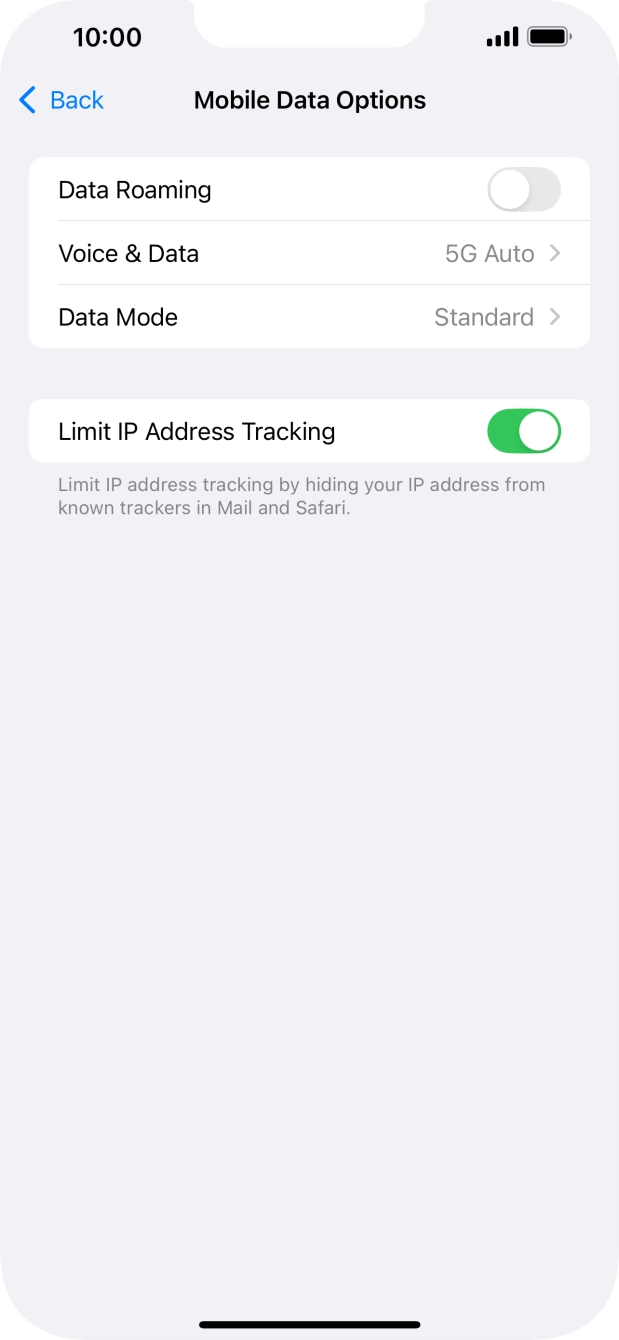
- Press the indicator next to 'Mobile Data' to turn the function on or off.
- Press the indicators next to the required applications to turn the function on or off.
- Slide your finger upwards starting from the bottom of the screen to return to the home screen.