
VPNs explained: What is a VPN and why do you need one?
You might have come across the term ‘VPN’ while browsing your phone's settings or looking for ways to protect your data. So, what is a VPN, how does it work?

|
Scarlett Wild Last updated 30 October 2026 |
Ever wondered what a VPN actually does? From adding privacy when you're browsing online to accessing work resources remotely, here's how virtual private networks work, when they're useful and what to look for when choosing one.
What is a VPN?
VPN stands for Virtual Private Network. It's a service that creates an encrypted connection between your device and a VPN server, helping protect data as it travels across the internet.
Normally, when you visit a website or use an app, your internet traffic travels through your internet service provider or mobile network. A VPN routes that traffic through a VPN server instead.
This can help hide your device's IP address from the websites you visit and make it harder for others on the same network to intercept your data.
Think of it like taking a more private route online; you're still getting where you want to go, but the connection has an extra layer of protection.
How does a VPN work?
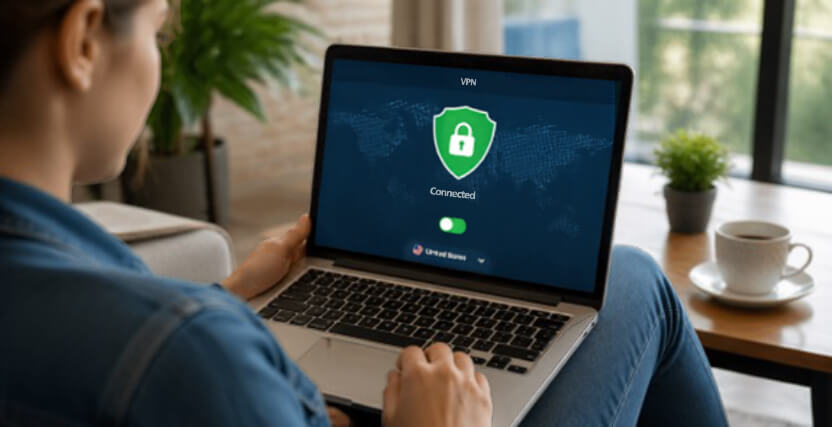 A VPN might sound complicated, but using one is usually pretty straightforward. Most consumer VPN services work through an app you install on your phone, tablet or computer. But how do you actually connect to a VPN?
Step 1: Connect your device
Open your VPN app and connect to a server. Some services let you choose a location, while others select one automatically.
Step 2: Your connection is encrypted
The VPN encrypts your internet traffic between your device and the VPN server, helping protect it from people trying to snoop on that connection.
Step 3: Browse as usual
Your internet traffic reaches its destination through the VPN server. Websites will generally see the server's IP address rather than your original public IP address.
The exact protection you get depends on the service provider and specific settings. A VPN doesn't make you completely anonymous online, but it can be a useful extra layer of privacy.
What is a VPN used for?
VPNs can be useful in several everyday situations, from simply browsing to enhancing your online security. Here are some of the most common ways VPNs are used.
1. Adding protection on public WiFi
Connecting to WiFi in a café, hotel or airport can be handy when you're out and about. However, public networks aren't always fully secure.
HTTPS websites and apps already encrypt a lot of the information you send, but a VPN acts as an additional security layer to help boost your online protection while connected to public WiFi.
2. Helping protect your online privacy
A VPN can reduce the amount of browsing information visible to your internet provider and can mask your public IP address from the websites you visit – so your browsing can stay private. However, keep in mind that your VPN provider can potentially see information about your connection. That's why choosing a reputable VPN provider matters.
3. Working remotely
 Need to access work files or internal systems from home? Some businesses often use VPNs to let employees connect securely to their company network from outside the office.
4. Connecting through different locations
Many VPN services offer servers in different countries. Connecting through one can make it appear to websites that your connection comes from that location.
This can be useful for some location-dependent browsing, but it doesn't guarantee access to particular websites or streaming libraries. Services may restrict VPN traffic, and using one won't override their terms or licensing rules.
How to choose a VPN
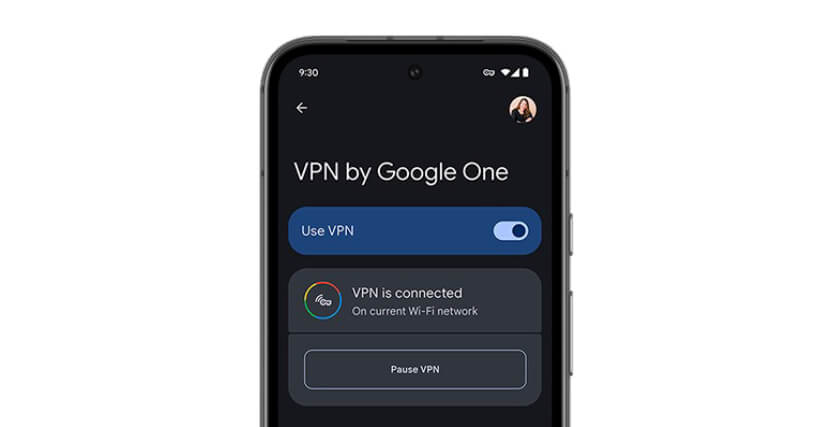 Thinking of trying one? Before buying a VPN, there are some important things to look out for.
· Privacy policy: understand what information the provider collects, whether it keeps connection logs and how long any data is retained
· Reputation: look for an established provider with a clear ownership structure and a transparent approach to privacy
· Security features: check which encryption protocols it supports and whether it offers features such as a kill switch, which can block internet traffic if the VPN connection drops
· Independent audits: look for credible, recent assessments of the provider's privacy and security claims
· Speed and reliability: a VPN can slow your connection, so look for a service that performs well for your everyday needs
· Device compatibility: make sure it supports your phone's operating system and any other devices you want to protect
· Price and limits: compare subscription costs, simultaneous connections, data restrictions and cancellation terms
Are VPNs safe?
A reputable VPN can improve the privacy of your internet connection, but not every service offers the same level of protection.
Your VPN provider becomes an important part of your online security, so don't choose one on price alone. Check its reputation, read its privacy policy and understand what information it collects.
It's also worth remembering that a VPN won't protect you from every online threat. Phishing scams, malicious downloads, weak passwords and data breaches can still affect you.
For the best protection, combine a trustworthy VPN with regular software updates, strong passwords and multi-factor authentication.
Overall, a VPN can be a useful tool for protecting your connection and adding privacy to everyday browsing, particularly when you're using unfamiliar networks. Learn more about how to stay safe online here at O2.
Related articles
Phones
iPhone 18 Pro vs iPhone 17
Compare these awesome iPhone models to discover which is best for you

Phones
eSIM explained
Find out what it is and how it works
News
Tech releases for Autumn 2026
Discover the newest Apple devices