I can't pair my Samsung Galaxy Watch5 Pro with my phone
If you can't pair your smartwatch with your phone, there may be several causes of the problem.
Complete the pairing and setup of your smartwatch in a place with good WiFi connectivity and make sure that WiFi and Bluetooth are turned on on your phone.
1. Turn on your smartwatch
Press and hold the Home key until your smartwatch is turned on.
- Press and hold the Home key until your smartwatch is turned on.
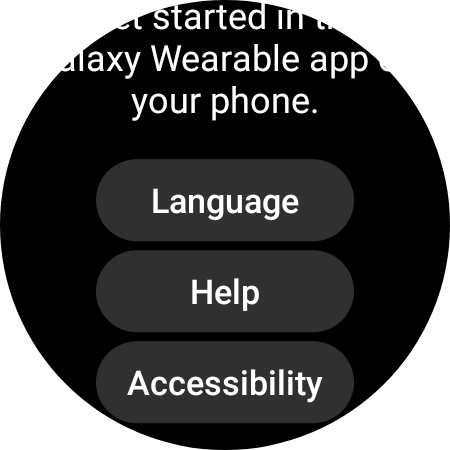
- Slide your finger upwards starting from the bottom of the screen.
- Press Language.
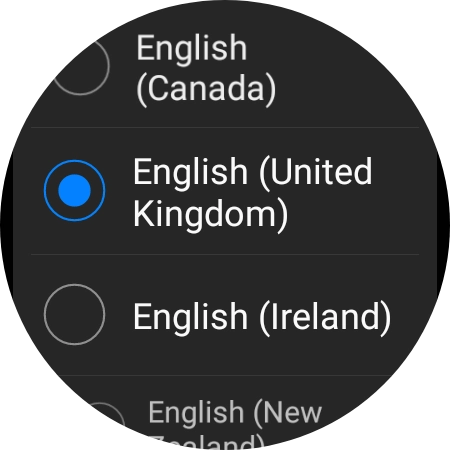
- Press the required language.
- Place your smartwatch next to your phone.Make sure Bluetooth is turned on on your phone.
- On your phone: Press Galaxy Wearable.Make sure you've installed the application Galaxy Wearable on your phone.
- On your phone: Press Start.
- On your phone: Check that the code is identical to the code displayed on your smartwatch.
- On your phone: Press Confirm.
- On your phone: Press Sign in and follow the instructions on the screen to sign in to your Samsung account or to create a new Samsung account if don't have one already.
- On your phone: Follow the instructions on the screen to select the required settings and press Continue.
- On your phone: Press Allow.
- On your phone: Press I agree.
- On your phone: Press the required Google account.
- On your phone: Press Next.
- On your phone: Press Enter your password.
- On your phone: Key in the password for your Google account and press Next.
- On your phone: Press Skip.
- On your phone: To set up mobile data on your smartwatch, follow the instructions on the screen to finish setting up your smartwatch.
- On your phone: To set up mobile data on your smartwatch later, press Skip.See how to set up mobile data on your smartwatch later after activation.
- On your phone: When this screen is displayed, your smartwatch is activated and synchronised with your phone.